MCX · Mission Critical Services

Mission-critical communication. Over broadband, from a single source.

REICHERT supplies every building block for MCX: the MCX server, the UniMCX app for smartphones and tablets and the connection to your dispatcher workstation. There, each MCX group appears as a radio line next to analogue radio and TETRA. The operation stays the same.

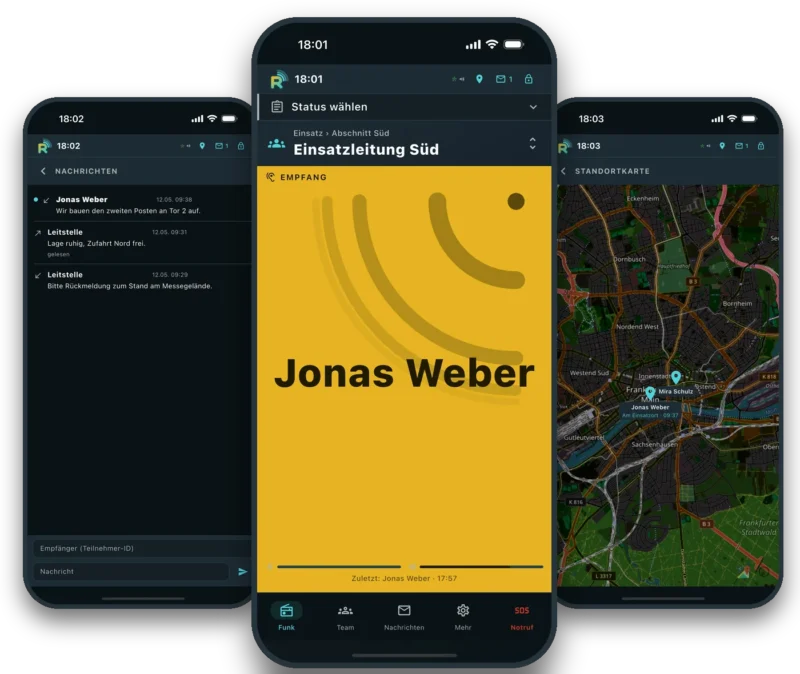
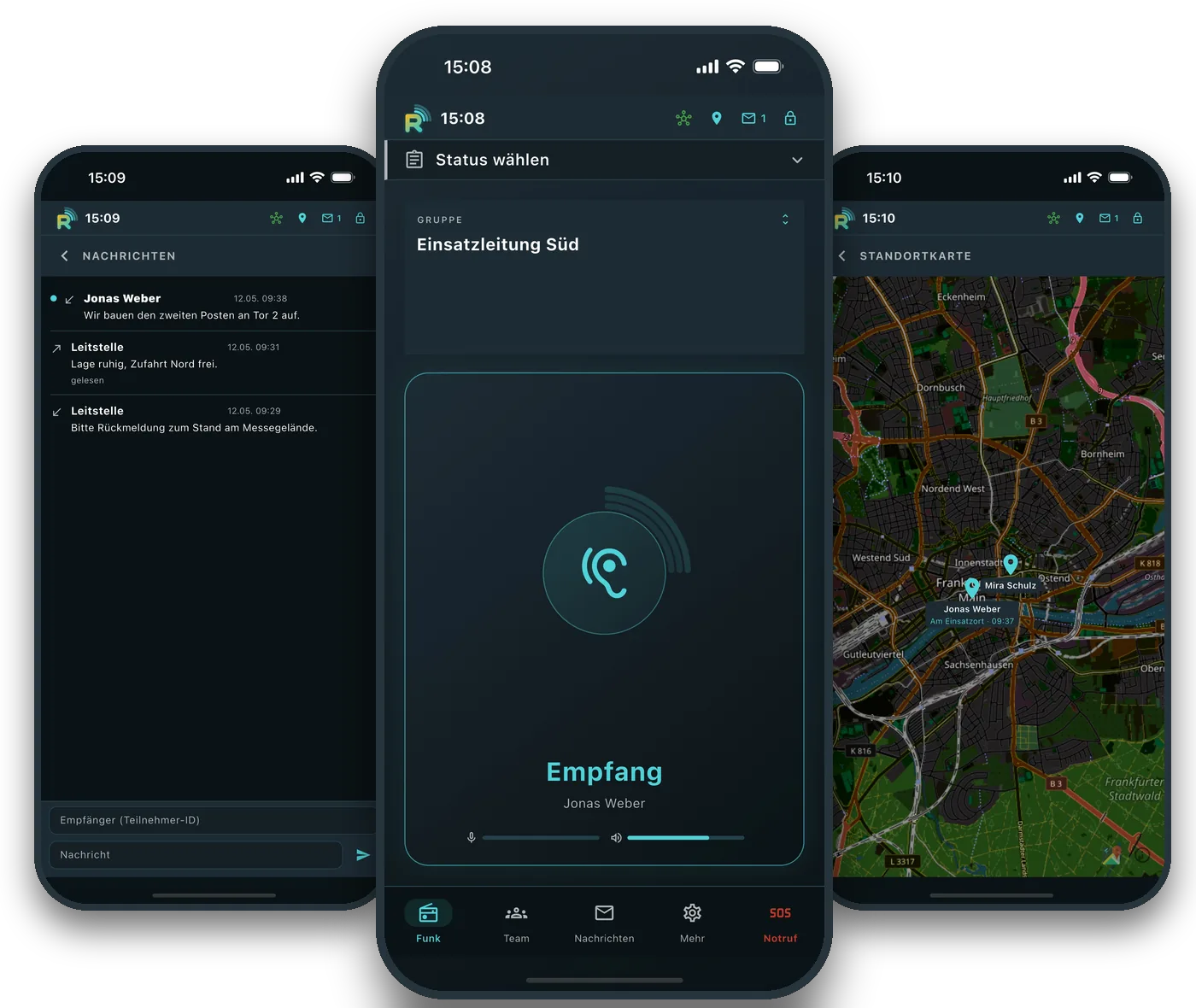
The UniMCX app on three smartphones: messages, group call and map, with fictional demo data
01 / What MCX is

Group calls, data and location. Over any broadband network.

MCX stands for Mission Critical Services according to the 3GPP mobile standard. It brings the way mission-critical radio works to LTE, 5G and Wi-Fi: talking in groups, floor control and emergency calls, plus data, maps and the smartphone as a device.

Voice (MCPTT)Group calls with push-to-talk, floor control and priority, just like radio.
Data (MCData)Short messages with delivery indication and status in the same system as voice.
BroadbandLTE, 5G or Wi-Fi: use existing networks or your own campus network.
02 / MCX server

Your MCX system. In your own building.

The REICHERT MCX server runs on your own Linux server, with no cloud requirement. It manages groups, participants and permissions and carries voice, messages and location.

Group callsFloor control, priority queue and speaker display; participants can belong to several groups.
Emergency and priority talkEmergency calls ahead of running group calls. Priority talk pre-empts the speaker above a configurable threshold.
Messages and statusShort messages with delivery indication, two-byte status with status catalogue. The German fire service status values fit.
LocationParticipants' location reports go to the group and onto the map, and the workstation can query locations.
Browser administrationGroups, folders, participants and permissions in a web interface, sign-in via OIDC.
Devices and app from your serverCreate a QR code and the app sets itself up: valid for 15 minutes, single use, revocable. The Android app and updates come from the server.
EncryptedSRTP, SRTCP and MIKEY-SAKKE according to 3GPP TS 33.180, on by default with no silent downgrade.
Authorised listeningListening in by authorised control room workstations, governed by the operator's permission concept and logged in the session journal.
03 / UniMCX

One app. For everyone without a radio.

UniMCX turns smartphones, tablets and rugged handhelds into MCX participants, on Android and iOS. The app interface is in German.

Talk

Press the talk key. Done.

The active group in view, the speaker's name while receiving. Switch between groups and call individual participants.

  • Talk key on screen, on the device or via Bluetooth
  • Screen lock with active talk key
  • Emergency call with location to the control room
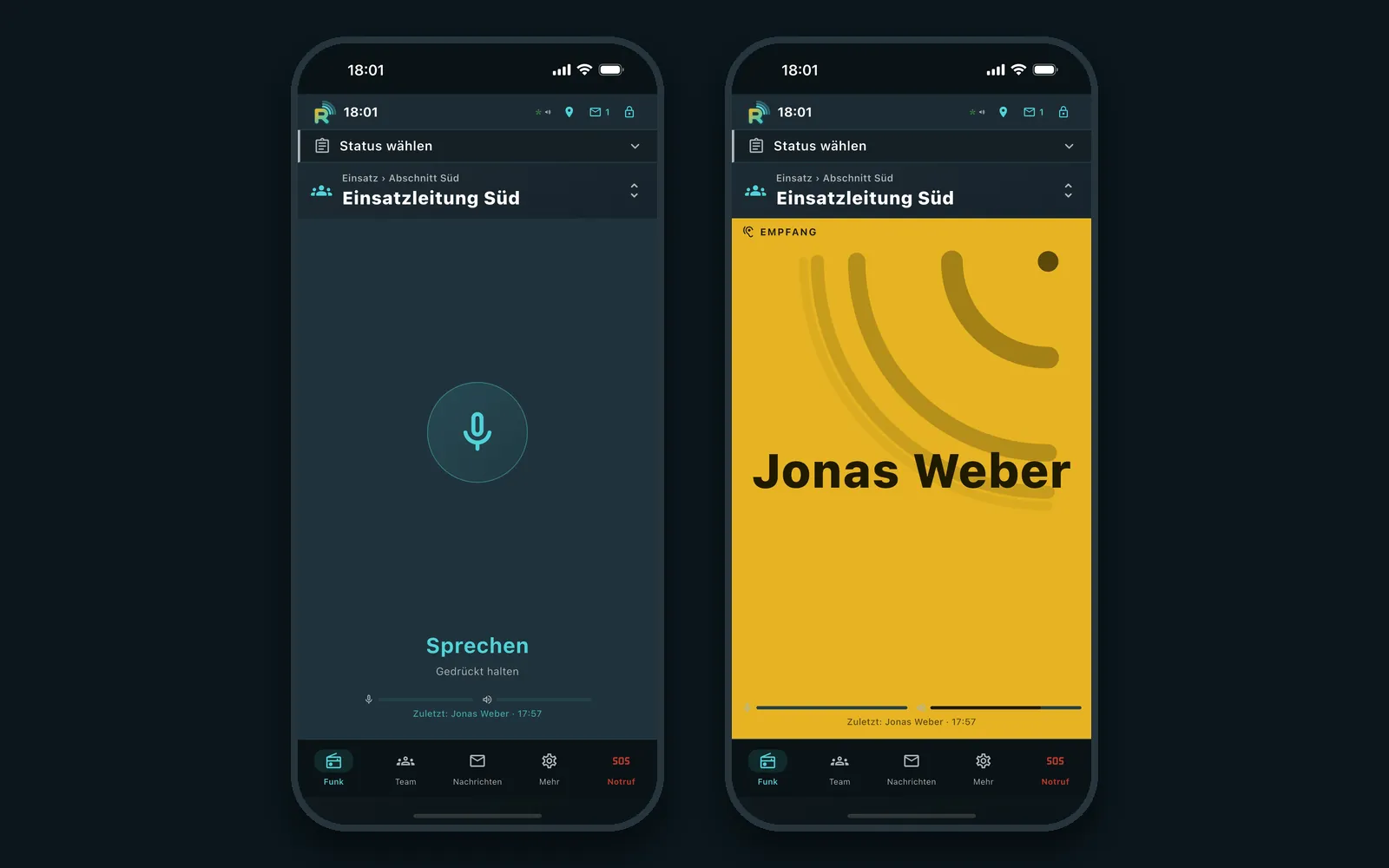
Group call in UniMCX: ready to talk and while receiving

Rugged handhelds

Keys instead of touch.

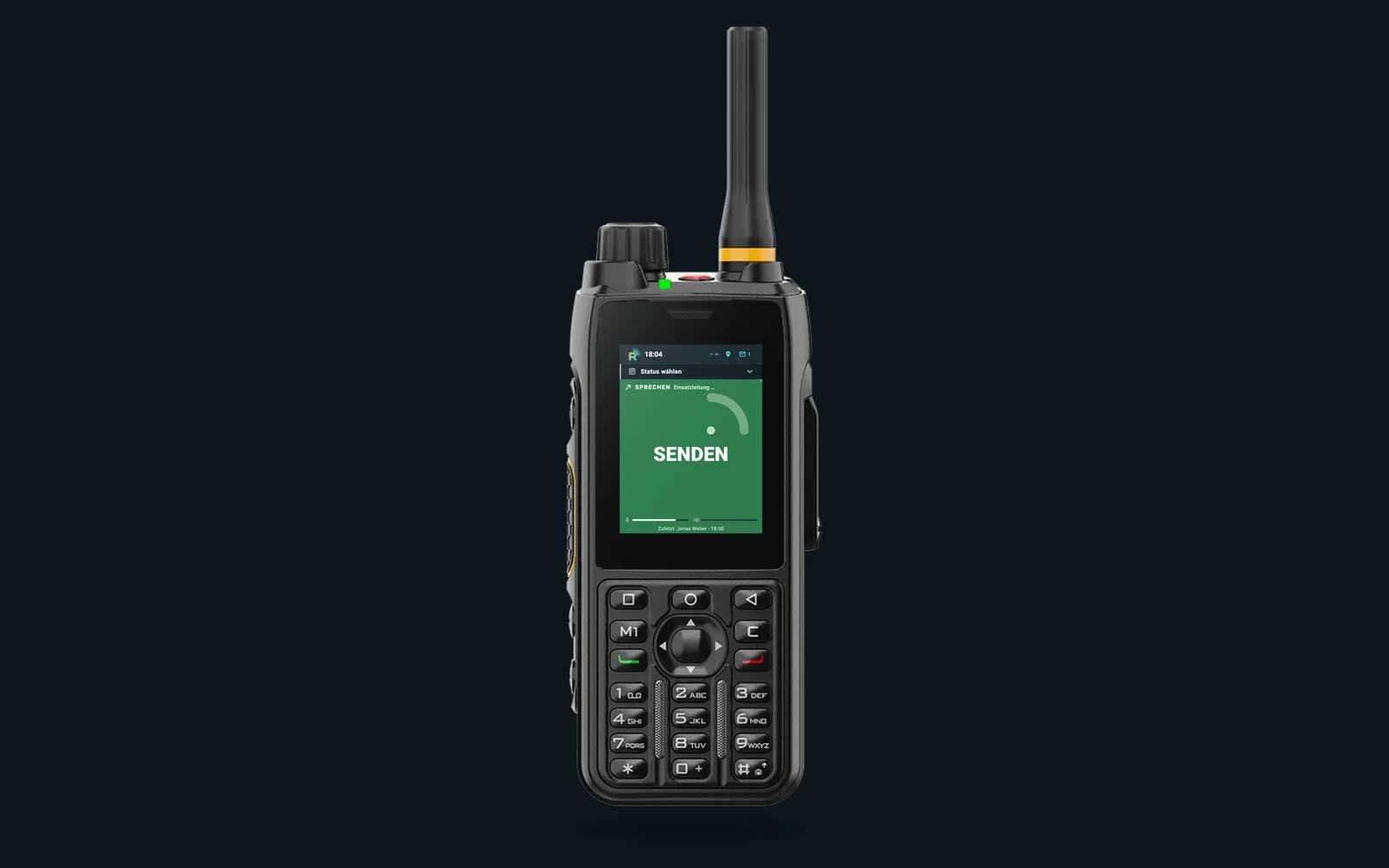
On small displays UniMCX shows its own compact view: group, speaker and level at a glance. Talk with the PTT key on the device, operate with the device keys.

  • Compact view for small displays
  • PTT key and keys on the device
UniMCX in the compact view on a rugged handheld (fictional demo data)

Messages and alerts

Everything important in one app.

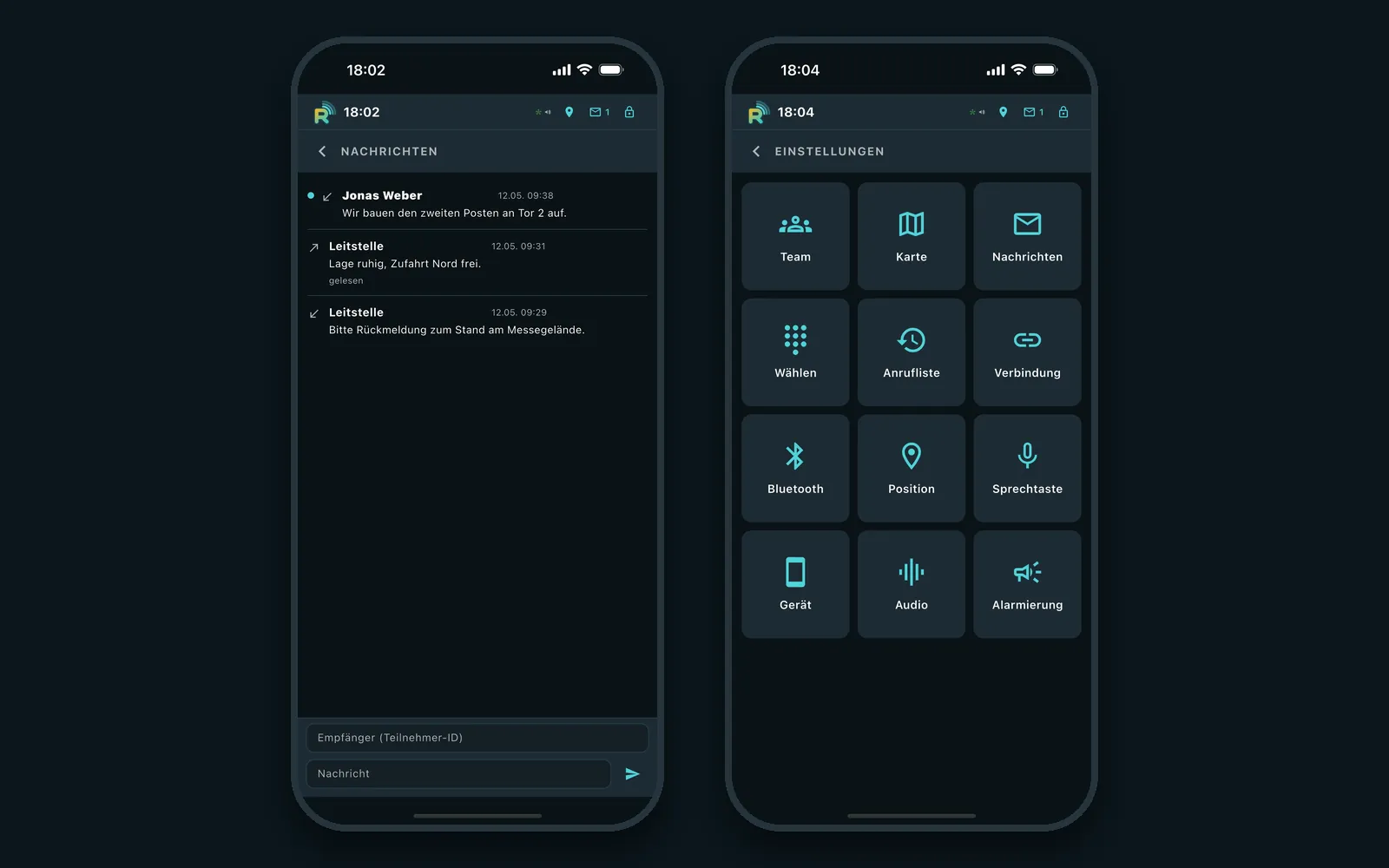
Short messages and status messages run in the same system as voice. Alerts stand out: for each level you set colour, tone, volume and vibration.

  • Short messages with delivery indication
  • Status from the system's status catalogue
  • Alert repeats until it is answered
Messages and the settings of UniMCX

Map

See where the group is.

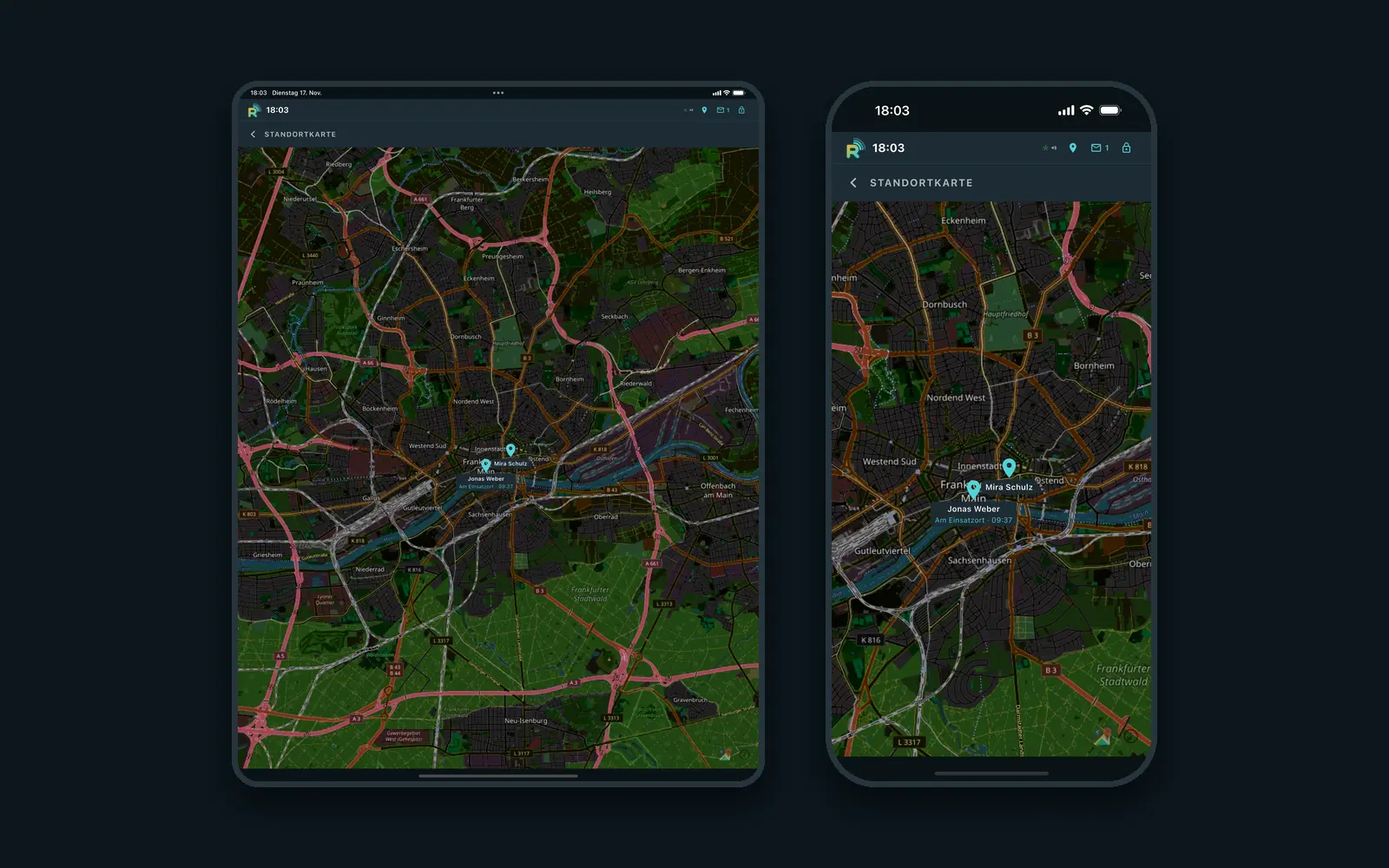
The map shows the received locations of group members, on smartphone and tablet alike. You send your own location for as long as you have it switched on.

  • Locations of group members
  • Own position can be switched on and off
Location map on tablet and smartphone. Map data: © OpenStreetMap contributors

You need access to an MCX server to use the app. UniMCX does not replace an emergency number (112) and is not designed for use without sufficient mobile or Wi-Fi coverage. Images show fictional demo data.

04 / Supported devices

From the smartphone to the rugged handheld.

UniMCX runs on devices you already own and on devices made for tough operations. We work out together which models suit your operation. On request we deliver the devices ready to use: app installed, QR-code enrolment, updates from your own server.

SmartphonesAndroid 9 or later and iPhone: responders without a radio become part of the group.
TabletsAndroid tablets and iPad, with more room for maps and messages.
Rugged handheldsAndroid handhelds with PTT key and earpiece speaker, with a compact layout for small displays.
Bluetooth PTT accessoriesTalk keys and headsets via Bluetooth, so the device can stay in the pocket.
05 / Working together

MCX does not run alone. It runs in your system.

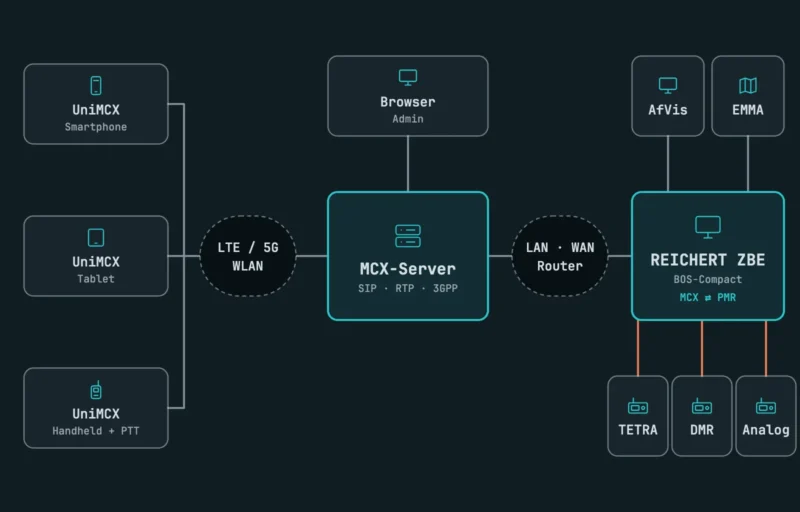
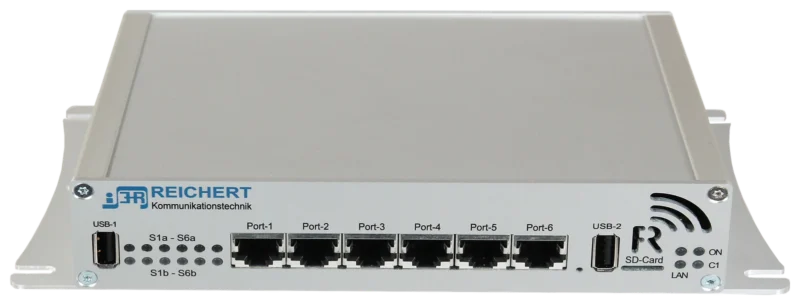
The REICHERT ZBE runs on the BOS-Compact and registers on the MCX server, in the control room or in a vehicle, over LAN or through a router. You create as many MCX radio lines as you need and choose per line which groups it serves, next to TETRA and analogue radio on the same system. AfVis operates the lines at the workstation, and EMMA alerts MCX participants through them as well. So you lead broadband and radio from one workstation.

The lines are operated side by side at the workstation. Where needed, the REICHERT ZBE bridges MCX to your business radio, whether private TETRA, DMR or analogue: a handheld with UniMCX then talks directly to conventional radios.
06 / Scenarios

Where MCX plays to its strengths.

For fire services, emergency medical services, relief organisations, industrial fire brigades and industry, for control rooms and incident commands.

Control room with mixed lines

MCX groups run at the same workstation as analogue radio, TETRA and Dimetra.

Command vehicle

MCX and TETRA groups side by side at one workstation. EMMA alerts over both.

Responders without a radio

A smartphone or tablet with UniMCX becomes a participant of the group, with emergency call and location to the control room.

Your own network

Plant or campus: your own Wi-Fi or campus network with your own MCX server.

08 / Technology

Technical data.

Services
MCPTT (group, individual and emergency calls), MCData (short messages, status)
Standards
According to 3GPP: TS 24.379, TS 24.380, TS 24.282, TS 33.180
Networks
LTE, 5G, Wi-Fi
Server
Linux amd64 and arm64, Debian package with systemd service
Data storage
SQLite, optionally a shared PostgreSQL database
Audio
AMR-WB, RTP according to RFC 4867
Security
TLS, SRTP, SRTCP, MIKEY-SAKKE; sign-in via OIDC or SIP digest
App
UniMCX for Android 9 or later and iOS (iPhone, iPad)
Interface language
German
09 / FAQ

What you should know about MCX.

Does MCX replace our TETRA?
No. MCX runs alongside TETRA, Dimetra and analogue radio; all appear as equal radio lines at the workstation. Where needed, the REICHERT ZBE bridges MCX to your business radio, whether private TETRA, DMR or analogue: a handheld with UniMCX then talks directly to conventional radios.
Which networks do I need?
LTE, 5G or Wi-Fi with a connection to the MCX server. Guaranteed priority in the network requires a mission-critical subscription from the operator. MCX also works over a regular SIM card, then with the quality of an ordinary mobile connection.
Is there direct mode without a network?
No. Our MCX solution needs a network connection. Direct mode remains the job of classic radio, which you operate at the same workstation.
Does the server have to run in the cloud?
No. The MCX server runs as a Debian package on your own Linux server.
Which devices can I use?
Smartphones and tablets with Android 9 or later or iOS and rugged Android handhelds with a PTT key, plus Bluetooth PTT accessories.
How do new devices join the system?
The administrator creates a QR code, the app scans it and sets itself up. The code is valid for 15 minutes and can be redeemed once.
Who may listen in?
Only authorised control room workstations. The operator governs the permission in its permission concept, and start and end are written to the session journal.
Does UniMCX replace 112?
No. An emergency call in UniMCX goes to your control room. UniMCX does not replace an emergency number and is not designed for use without a sufficient network connection.
10 / Trade fair

See MCX live.

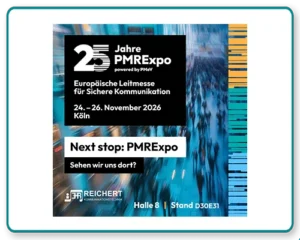
Visit us at PMR Expo in Cologne, from 24 to 26 November 2026 in hall 8, stand D030 / E031.

24–26 November 2026Happening now

PMR Expo 2026

Will you be at the show as well? We look forward to welcoming you at our stand!

Hall · Stand
Hall 8 · Stand D030 / E031
Venue
Koelnmesse, Messeplatz 1, 50679 Köln
Opening hours
Tue–Wed 9:00–18:00
Thu 9:00–15:30

At the standUniKey-TS3ATL-IP moduleEMMA

Koelnmesse Messeplatz 1, 50679 Köln

The map appears once you load it or allow external content.

Loading the map transfers data to OpenStreetMap. Get directions

11 / Contact

Let's talk about your MCX project.

We show you MCX at the stand, in the showroom in Essen or at your site and work out what suits your network and your workflows.

Showroom
Gärtnerstraße 44
45128 Essen, Germany
Opening hours
Mon–Fri · by appointment

Request a meeting.

Broadband and radio. At one workstation.

See for yourself how MCX runs next to your existing radio.

Call Arrange a meeting